Turn your expertise into a scored assessment, built by the AI you already use.

Connect DimensionKit to Claude, ChatGPT or Cursor in a minute. Your assistant already knows your framework: ask, and it writes the scored questions, sets the tiers and shows you a preview before anything goes live. Your visitors can even answer with their own AI.

Every visitor gets a personalised result. You get their email, their answers, and a reason to follow up.

Works with Claude, ChatGPT, Cursor and any assistant that supports remote MCP.

Open beta · free · no credit card. See pricing.

AI on both sides

Your AI builds it. Their AI answers it.

DimensionKit plugs into the assistants you and your audience already use. The assistant brings the context; DimensionKit brings the scoring, the results page and the leads.

Turn the RevOps framework we worked on into a scorecard.

1You build

Built from what your AI already knows.

It has your notes, your documents and your past chats. Ask for a scorecard and it creates the dimensions, writes the scored questions, sets the tiers and shows you a preview before anything goes live.
Answer this scorecard from our CRM and docs: …/revops-maturity.md

2They answer

Visitors answer with their own AI.

Every published scorecard has a plain-text version an assistant can read. It answers from real evidence — CRM, docs, dashboards — asks when it isn't sure, and hands back a link. Visitors review every answer, then submit.

How visitors answer with an assistant

Who scored lowest on Pipeline this month?

3You follow up

Ask your AI who's ready to talk.

Your assistant reads the submissions and their per-dimension scores. Which leads are weak on exactly what you sell? Who should hear from you this week? Just ask.

Set up in a minute

One URL. No API keys.

Paste the server URL into your assistant's connector settings. It sends you to sign in and asks what it may do — read only, or read and write. That is the whole setup.

MCP server URL

https://app.dimensionkit.com/mcp
  1. 1

    Add the URL

    In Claude, ChatGPT, Cursor or any client that supports remote MCP servers, add it as a custom connector.

  2. 2

    Sign in and approve

    No account yet? Start anyway — you can sign up on the way. Choose read only, or read and write.

  3. 3

    Just ask

    “Build me a scorecard that assesses technical leadership.” Your assistant interviews you, builds it and sends you a preview link.

You decide what it may do.

Connecting brings up a consent screen with two choices: read, or read and write. A read-only connection cannot change anything. Every connection acts as you and reaches only your own scorecards.

Editing live scorecards is safe.

Change a published scorecard whenever you want. Submissions already collected keep the scores and the wording they were given — your history doesn't shift under you.

Cut it off in one click.

A Connected apps page in the admin shows everything currently connected to your account, and disconnecting ends its access immediately.

Scoring stays exactly as you defined it — the same answers always produce the same result. An assistant is a way to build your scorecards and read the results, not a way to score the people taking them. And none of it is required: everything here can still be built by hand in the admin.

What you get

An assessment your audience actually finishes.

Generic ebooks get downloaded and forgotten. An assessment gives every visitor a personal result — and gives you their email, their scores, and a clear reason to follow up.

Leads, not anonymous downloads.

You get the email, the scores, and the context. Every submission is tied to real answers — so you know who's ready to talk and who needs nurturing.

A result worth finishing for.

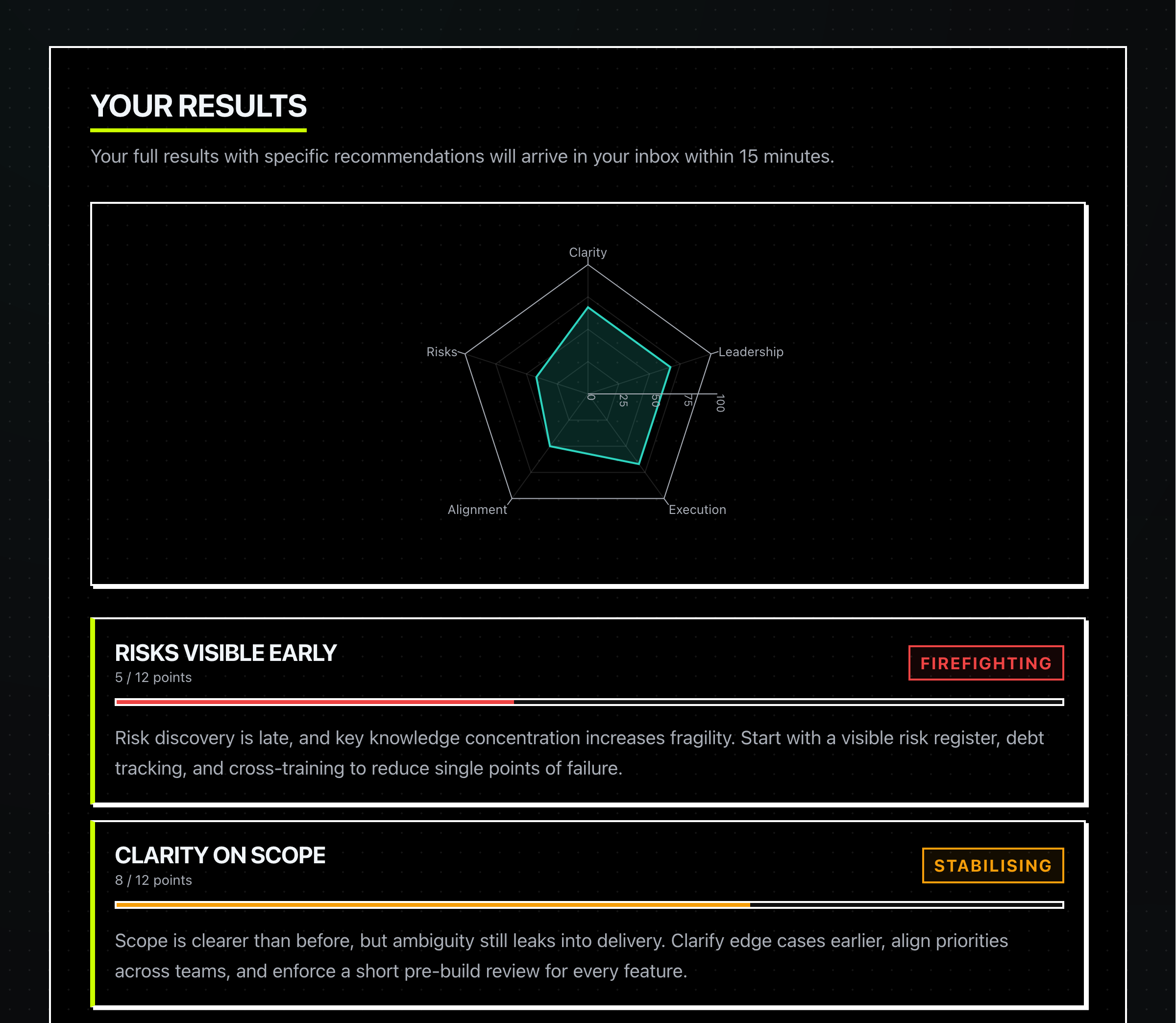
A radar chart, per-dimension tiers, and tailored insights — generated from each visitor's answers. Same assessment, different report for everyone.

Build it once, embed it anywhere.

One script tag drops your assessment into any approved site. Locked to your domains only — every other origin is blocked.

What your visitor sees

Three screens. One lead.

Whether your assessment lives on a landing page or embeds inside your marketing site, this is the experience every visitor walks through.

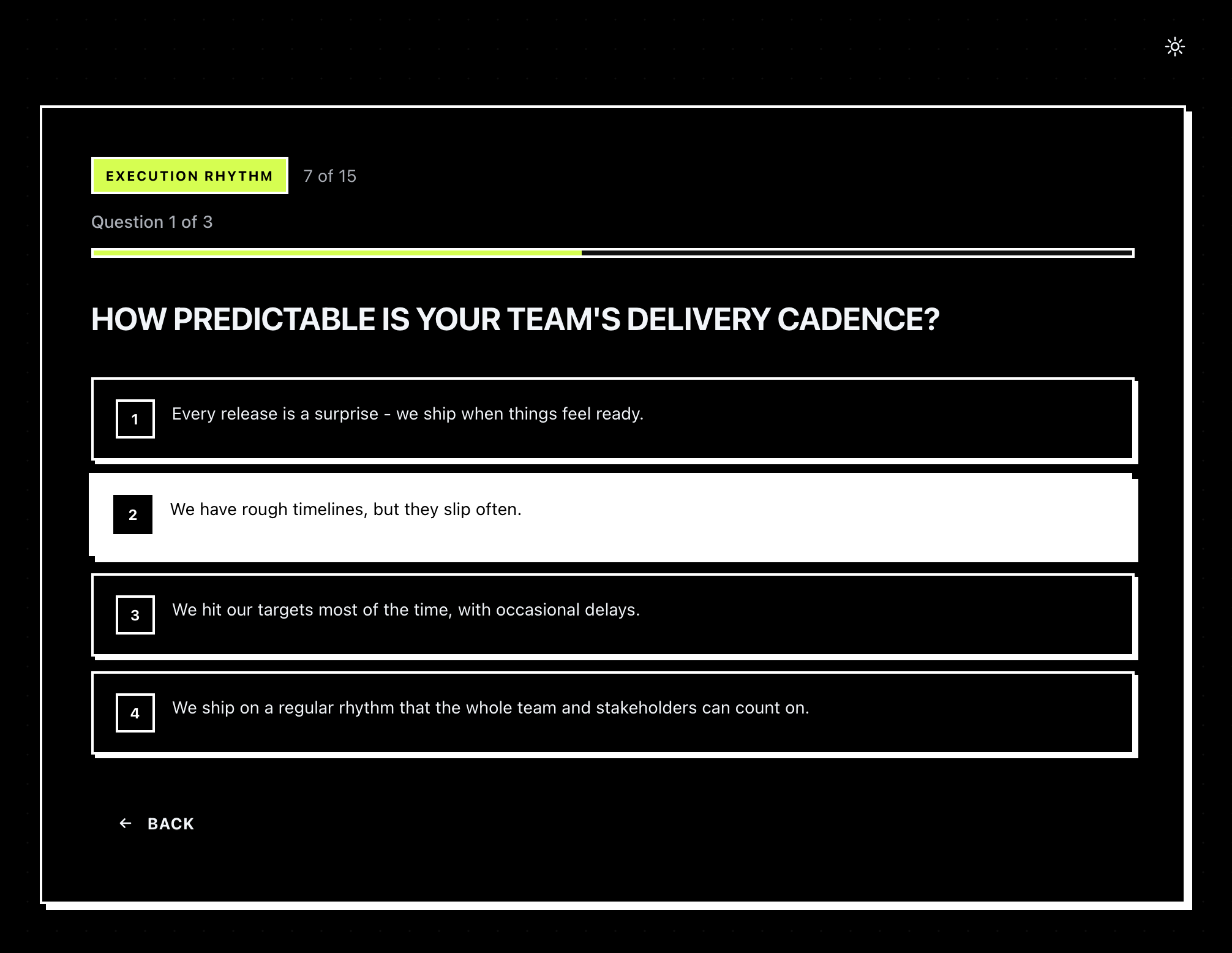
A scored question with four answer options and a progress indicator.
1

They answer your questions.

Multiple choice, one at a time, with progress. Mobile-friendly out of the box.

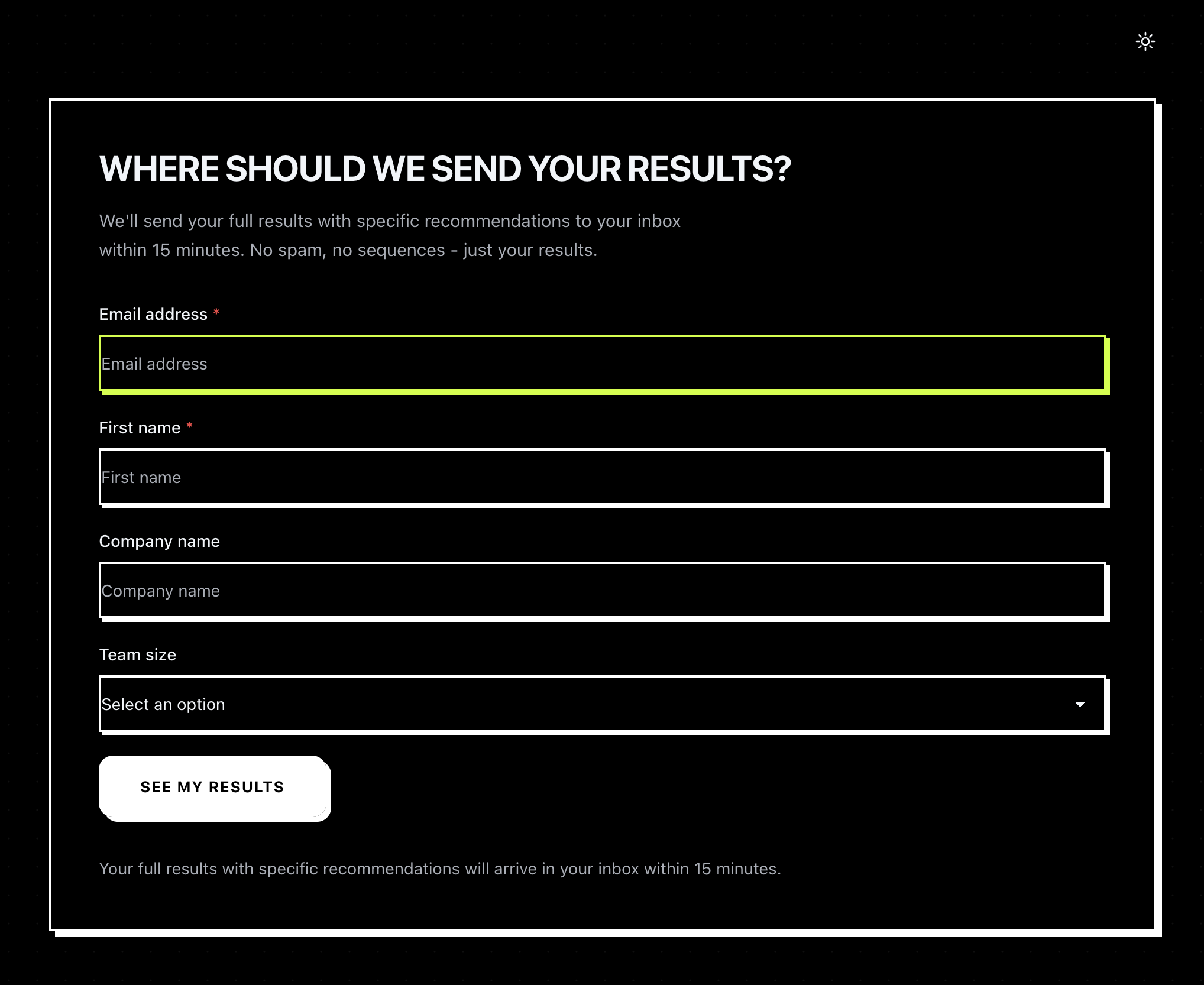
Email capture screen with email, first name, company name, and team size fields.
2

They share their email.

With whatever fields you choose — name, company, team size, custom. Decide whether email comes before or after questions.

Results page with radar chart and per-dimension tier breakdowns.
3

They get a personalised result.

Radar chart, per-dimension tiers, insight copy. Shown on screen and emailed within minutes.

What you get back

The other half: your admin.

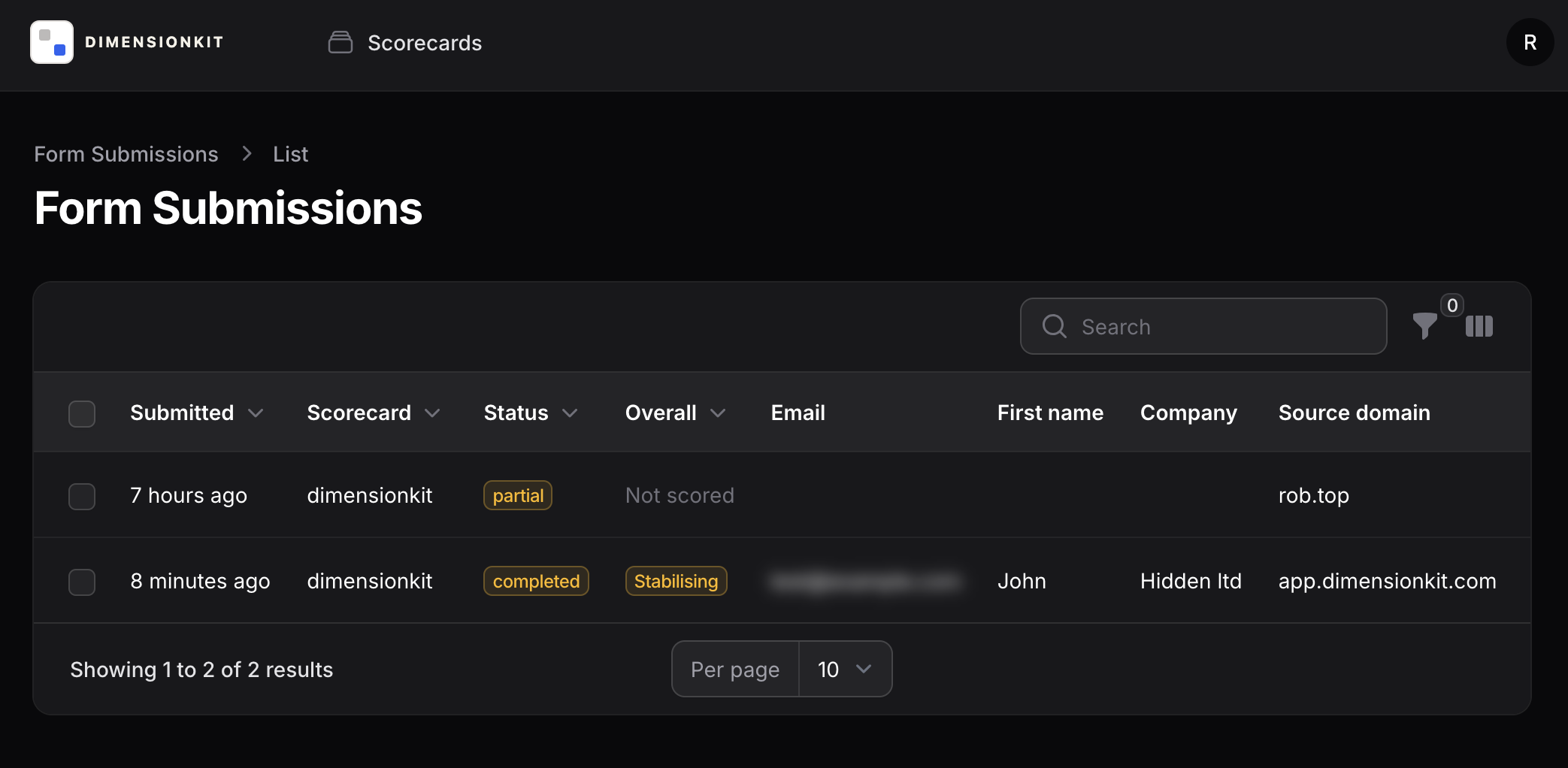
Every submission lands in one place — with scores, tiers, source domain, and any custom fields. Build new assessments without writing code.

Admin form submissions list showing recent leads with scores and tiers.

See every lead, instantly.

Email, company, scores, status, source domain — searchable, filterable, exportable. Nothing leaves your admin.

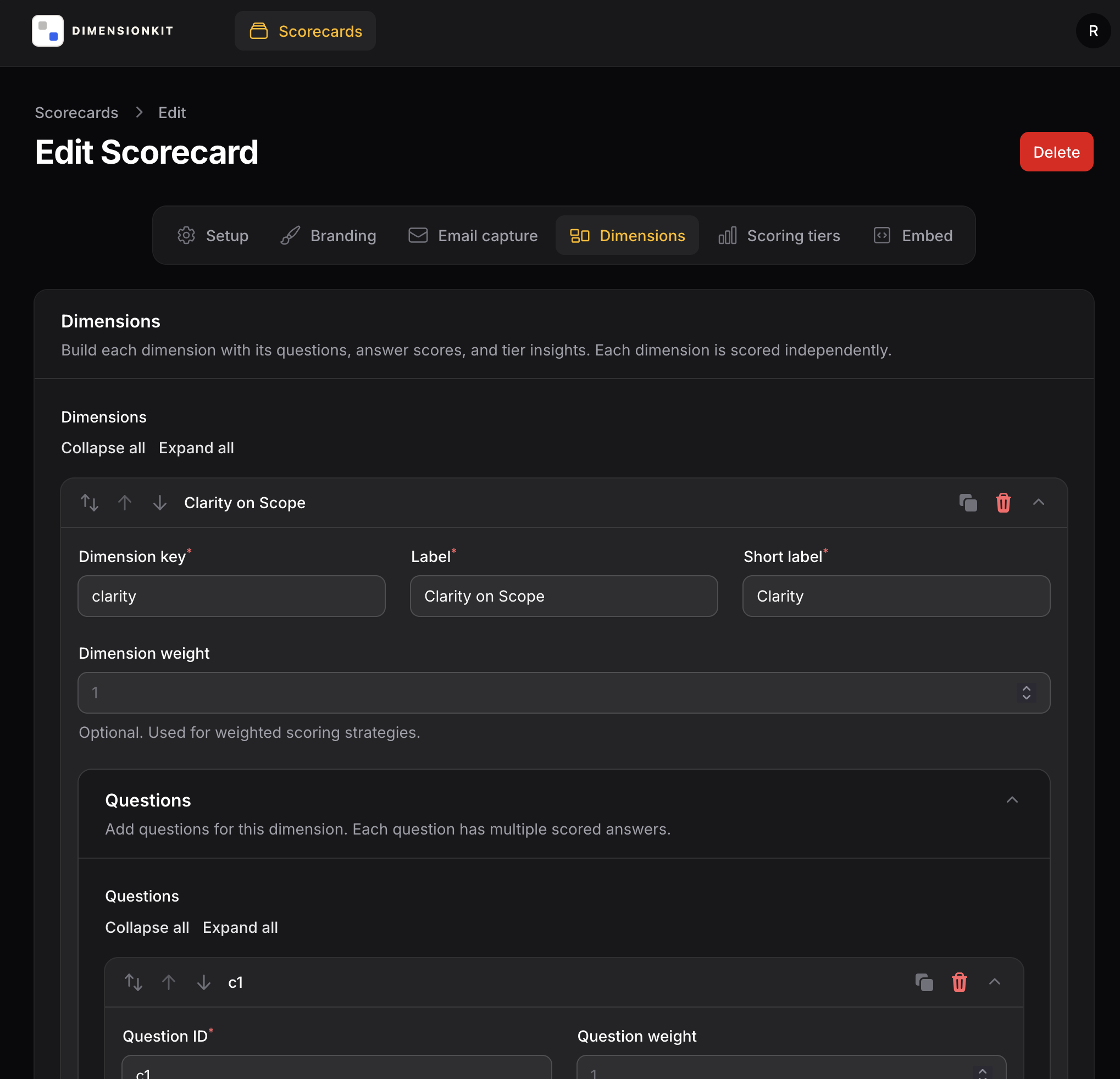
Admin scorecard editor with dimensions, questions, and tier configuration.

Build it by hand, or describe it.

Dimensions, questions, tiers, branding, email capture — edit in the admin, save, done. No deploys. Or connect an AI assistant and talk it through instead.

Use cases

Built for any framework you can score.

If you can express your method as dimensions with questions and tier-based outcomes, you can ship it as an assessment. We call each one a scorecard.

Diagnostic quizzes

Show prospects where they stand on the framework you teach. A clean opener for a sales conversation.

Maturity models

Multi-dimensional assessments with tier-based insights — for org maturity, team practices, technical readiness.

Lead magnets

Replace the generic PDF with a scored, interactive experience. Email capture and delivery built in.

Self-assessments

Let clients check their own progress between engagements. Embed on a client portal with its own allowed origin.

Workshop & cohort intake

Use it as pre-work — qualify applicants and arrive at the first session knowing where each person is.

Productised diagnostics

Bundle your framework as a standalone product. White-label colors, your CTA, your follow-up copy.

Features

Everything the assessment needs, nothing it doesn’t.

Answerable by any AI

Every published scorecard also has a plain-text version an assistant can read. Visitors' assistants answer from evidence, flag what they can't tell, and hand back a prefilled link to review and submit.

Configurable scoring model

Unlimited dimensions, any number of questions per dimension, custom score values, and configurable tier thresholds with per-tier insight copy.

Connect your AI assistant

Paste one URL into any client that supports remote MCP servers — no API keys to create. Your assistant can build and edit scorecards from your description, and read submissions with their scores. You approve read-only or read-and-write, and can disconnect it from the admin at any time.

Radar chart results

Per-dimension scores rendered as a radar chart with tier badges and insight copy — readable in light and dark mode, accessible to screen readers.

Filament admin panel

Manage assessments, view submissions, and configure embed allowed-origins through a built-in admin UI. Multi-user with roles.

Email delivery

Submissions are queued and emailed via SMTP with configurable from and reply-to addresses. Visitors can update their email with a tokenised link.

Theming & branding

Brand colors applied at runtime via CSS custom properties. Multiple themes available: default, obsidian, playground, brutalist. Light and dark with system detection.

Per-assessment embed allowlist

Each assessment has its own list of allowed embed origins. The embed route sends a route-specific frame-ancestors CSP header — every other origin gets 403.

Also included

  • Honeypot + minimum submit-time anti-spam
  • IP rate limiting on submissions
  • Optional Cloudflare Turnstile
  • Editable submission email
  • Optional privacy & terms consent
  • Light / dark / system theme

Yours to embed

Put it where your audience already is.

Share the standalone link, or drop your assessment straight into your marketing site with a single script tag — locked to the origins you approve, so nobody else can host it.

Drop it onto any approved site.

The loader creates a responsive, sandboxed iframe. The embed route sends a per-assessment frame-ancestors CSP header — every other origin gets 403.

<div id="scorecard"></div>
<script
  src="https://app.dimensionkit.com/embed.js"
  data-dk-scorecard="your-scorecard-slug"
  data-dk-target="#scorecard"
></script>
  • FrontendReact + Vite + TypeScript + Tailwind + DaisyUI + Recharts
  • BackendLaravel 12 API + Filament admin
  • DatabasePostgreSQL
  • Queue / cache / sessionsLaravel database drivers — no Redis required
  • EmailSMTP, configurable from and reply-to

Open beta — free

Turn your framework into a lead-generating assessment.

DimensionKit is free during open beta — two scorecards, 100 submissions a month, and no credit card.